
Argument memory
Commando remembers the values you enter for a variable and offers them back next time as ranked candidates — most useful values first. Memory is on by default; you don't have to configure anything.
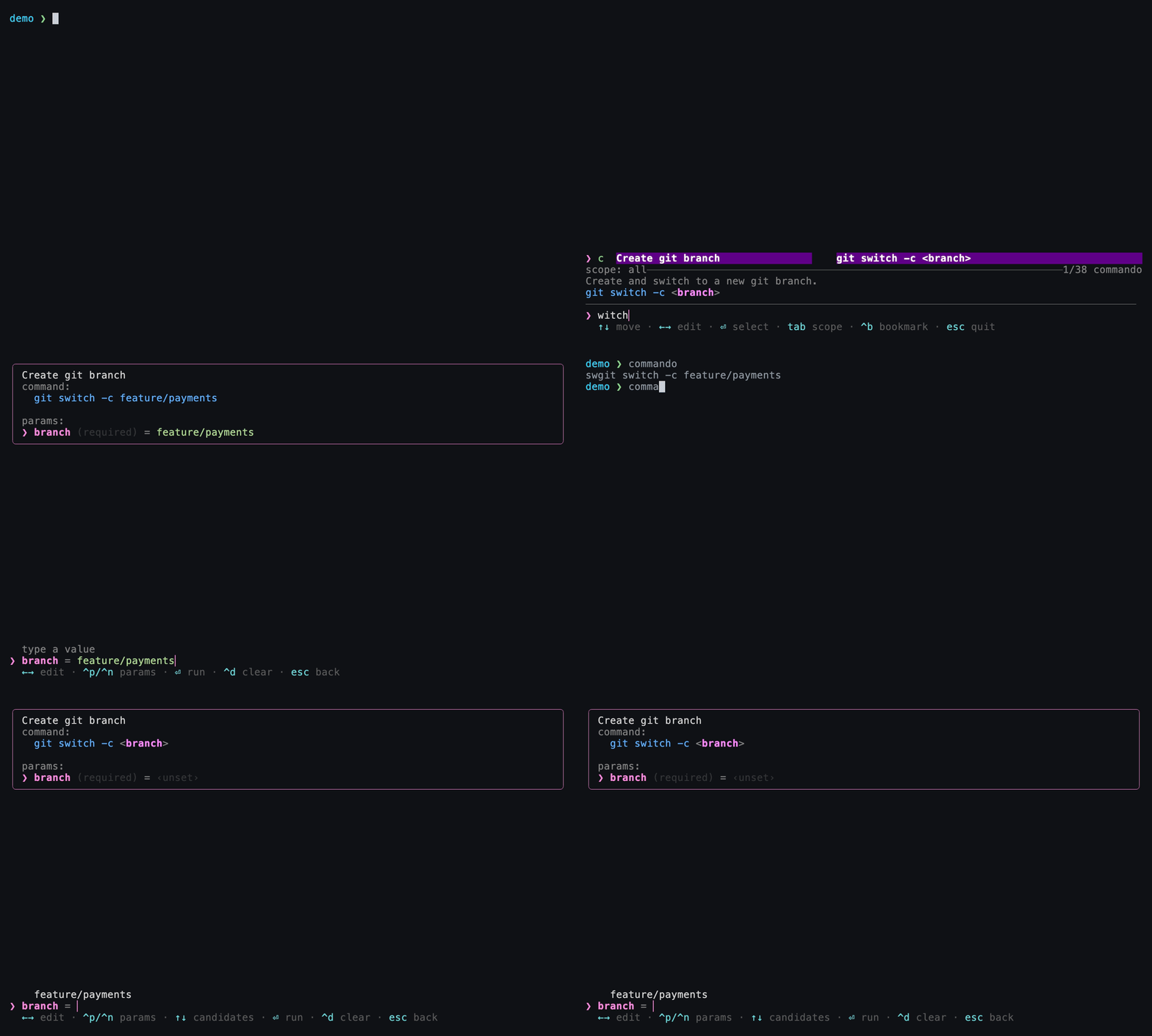
Enter a branch name once — on the next summon it's waiting as a remembered candidate, no retyping.
How it works
Every time you finish a command, Commando records each variable's value in
~/.local/share/commando/memory.toml, keyed by
(command, variable, scope). The next time you fill in that variable, the
remembered values appear as candidates above the input, most-recently-used
first.
The command is identified by its title and template, or by its
id when the cheat sets one. Set an id if you
expect to edit a cheat's title or template and want to keep its memory.
# ~/.local/share/commando/memory.toml (excerpt — plain and editable)
[[entry]]
id        = "..."
var       = "branch"
scope     = "project:/Users/you/repo"
value     = "feature/login"
freq      = 7
last_used = 1751500000
Frecency ranking
Commando scores how "hot" something is by frecency: its use count weighted
by how long ago it was last used (the same idea behind z/zoxide).
| Last used | Weight |
|---|---|
| within the last hour | count × 4 |
| within the last day | count × 2 |
| within the last week | count × 0.5 |
| older | count × 0.25 |
Frecency orders the search list when you haven't typed anything, and breaks
ties among close matches when you have, so commands you run often and recently
rise. For remembered values, it decides which ones are kept: each
(command, variable, scope) keeps its 25 hottest values, so a value you use
constantly isn't pushed out by a burst of one-offs. The form itself lists the
kept values most-recently-used first.
Scopes — the remember field
The remember field on a variable controls where a value is remembered:
remember |
Behavior |
|---|---|
| (unset) | Default. Remember globally — offered everywhere. |
global |
Same as unset: remembered across every directory. |
project |
Remembered per git project (keyed by the repository root). |
dir |
Remembered per working directory. |
none |
Opt out — never store values for this variable. |
[[cmd.var]]
name     = "branch"
src      = "git branch --format='%(refname:short)'"
remember = "project"   # branch names are per-repo, so scope memory to the repo
Choosing a scope is about relevance: a branch name only makes sense inside
its repo (project), a build output path might be per-directory (dir), while
your favorite AWS region is the same everywhere (global).
Secrets — always use remember = "none"
Never remember sensitive input
Any variable that can hold a token, password, or other secret should set
remember = "none" so its values are never written to
memory.toml:
As a backstop, a value that looks like a secret is never remembered, even
without remember = "none": the redaction
patterns and built-in detectors are checked against the value and against
<variable>=<value>, so a variable named token or a value shaped like an
API key is skipped. Don't rely on detection alone; remember = "none" is
the reliable control.
How remembered values behave in the form
- They appear as candidates in the list above the input, ordered most-recent first. They are never typed into the input automatically.
- For a list field (one with a
srccommand), pressing Enter on an empty input picks the top candidate. - For a plain field (no
src), Enter never auto-fills a remembered value — select one deliberately with Up then Enter. - An author-defined
defaultstill pre-fills the input regardless of memory.
Editing or clearing memory
memory.toml is a plain TOML file — open it, edit it, or delete entries by
hand. To wipe all memory, delete the file; Commando recreates it as needed.
Next
-
Where
remembersits among a variable's other options. -
The full layout of Commando's plain-file state.